Works with the tools you already pay for
DayReport sends hours, expenses and daily reports where your office already works: payroll, accounting, your general contractor's project software and your CRM.
7 day free trialNo card to startAdmins and office staff free
Screens show example data.
- Built by a working integrator
- 7 day free trial, no card
- Admins and office staff free
- Data stored in the United States
One place in, everywhere it needs to go
Live today, or rolling out now. Nothing here needs a consultant to set up.
Payroll files your provider already accepts
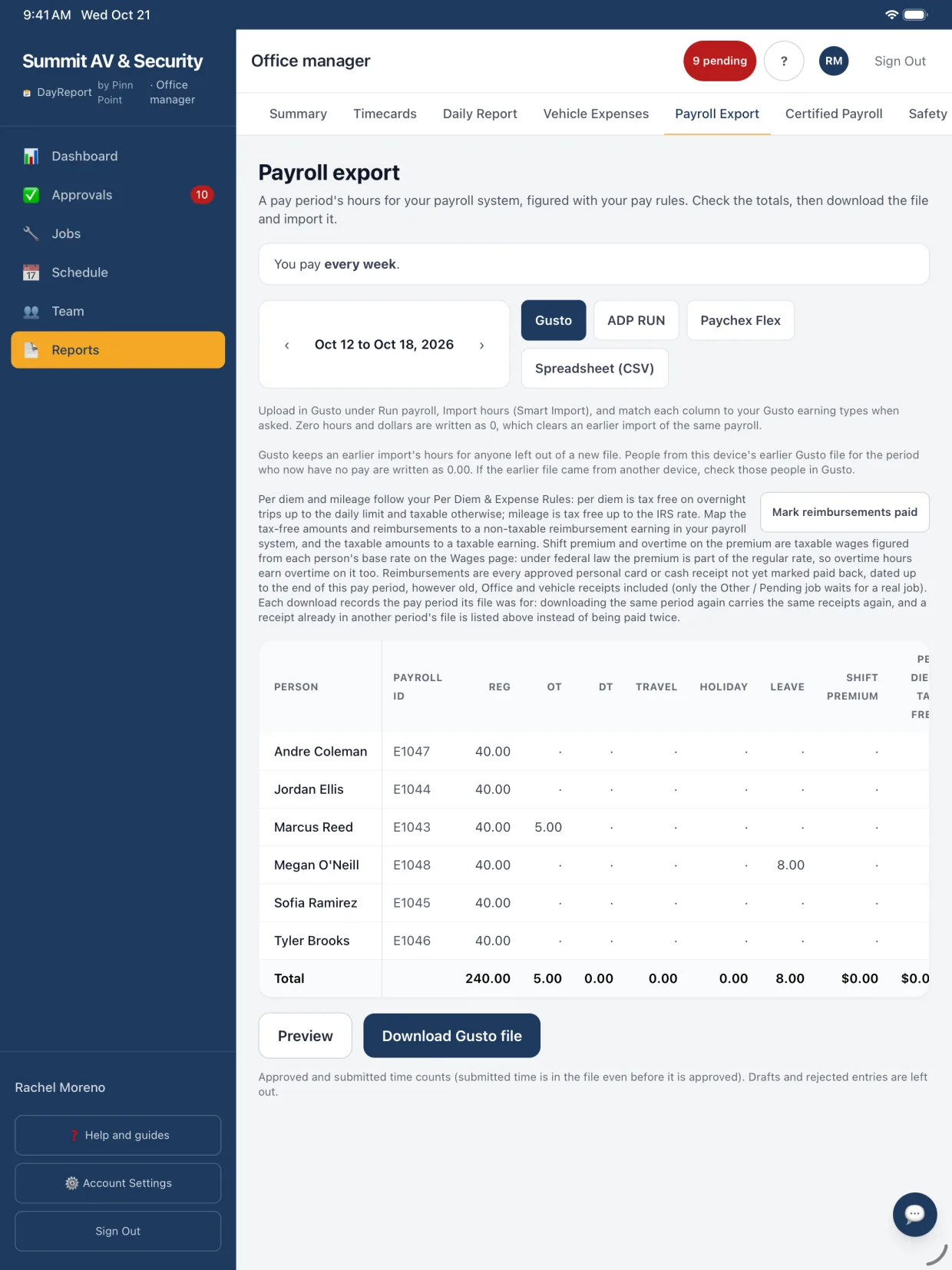
Reports, then Payroll export opens on your last finished pay period: weekly, every 2 weeks, twice a month or monthly. Pick Gusto, ADP RUN, Paychex Flex or a spreadsheet, check the totals, and download the import file.
- Hours split into regular, overtime, double time, travel, holiday and leave using your pay rules.
- Shift premiums and the overtime they add go out as their own earnings, because the premium counts in the FLSA regular rate.
- Per diem split into tax-free and taxable. Reimbursements paid in the file are marked Exported for that pay period: a new download of the same period pays them again, later periods leave them out, and only the office can change them.
- Overtime figured week by week, and twice-a-month and monthly periods pay the whole workweeks that end in them.
- ADP and Paychex match people by payroll ID. With more than one office, one office's file uses its own payroll code.
QuickBooks Online and Procore, rolling out
Connect QuickBooks Online from Settings, then Integrations. Match each person to an employee and each job to a customer, pick the accounts, and send approved time and expenses. Connect Procore, match jobs to projects, and push a day into the project's daily log. Reconnecting keeps the Procore company you picked.
- Both are built and tested, and switch on once Intuit and Procore give DayReport production access.
- Admins, office managers and accountants send approved time and expenses from Payroll export.
- A QuickBooks import file of approved expenses is available from Reports today.
- Nothing is sent twice.
What each connection does
Gusto, ADP RUN, Paychex Flex
LiveAn import file for the pay period, built from your pay rules: regular, overtime, double time, travel, holidays, leave, per diem and reimbursements.
QuickBooks Online
Rolling outApproved hours go in as time activities for each employee and customer, and company card expenses as purchases with the receipt attached. Personal card and cash expenses go in as journal entries owed to the employee when you pick a reimbursements account, or stay with payroll. Admins, office managers and accountants send. Nothing is sent twice.
Procore
Rolling outEach day's crew count, hours and daily report land in the project's daily log, so the GC sees your work without another email.
Zapier and webhooks
LiveSend time, expenses, jobs and service tickets to HubSpot, Salesforce, Google Sheets and thousands of other apps. Every event is signed, and none carries contract values, change order amounts, material costs or injury notes.
API
LiveCreate and update jobs from your CRM or estimating software, and read time, expenses and people. Admins give each key only the permissions it needs.
Job import
LiveBring jobs over from HubSpot, Salesforce, Jobber, Housecall Pro, ServiceTitan or a spreadsheet. Import the same file again and it updates instead of duplicating.
Questions people ask first
Does DayReport integrate with QuickBooks?
Yes. A QuickBooks import file of approved expenses is available today from Reports, and a direct QuickBooks Online connection for approved time and expenses is rolling out. Admins, office managers and accountants can send once an admin connects it. Matches belong to one QuickBooks company, so connecting a different company asks first and starts them over.
Does DayReport integrate with Procore?
A Procore connection that posts daily logs (crew count, hours and the daily report) to the project is rolling out.
Can DayReport connect to our CRM?
Yes, through Zapier or webhooks for outgoing events, the API for creating and updating jobs, and CSV import for existing jobs.
How do ADP RUN and Paychex Flex match people?
By payroll ID, which you enter once per person, right in the Payroll export table. With more than one office, a file for one office uses that office's payroll code.
Can an API key read everything?
No. When an admin creates a key, they tick what it may do: read or write jobs, or read time, expenses or people. Payroll IDs need their own permission. Only a fingerprint of each key is stored, a key stops working when the person who made it is turned off, and each key is limited to 1,000 calls an hour.
How much does DayReport cost?
$19 per technician or foreman per month. Admins, office managers, project managers and accountants are free unless you give one a field seat to log their own time. 7 day free trial, no card to start.
Keep exploring
Try it on your next job
Set up your company, invite a technician and log a real day. Setup takes about ten minutes, and the first 7 days cost nothing.
No card to startAbout ten minutes to set upCancel any time